Darker reverse engineering
This is a comprehensive reverse engineering effort of the 1995 DOS game Darker, by The Lost Engines Project.
Overview: https://lost-engines.github.io/darker-discovered/.
Detailed public documentation of the reverse engineering discoveries and tools developed can be seen at https://lostengines.com/darker/.
Play the faithful reconstruction in Darker C++, or try Darker Redux for higher resolutions, longer views and in-game options.
The full repository generating this documentation can be found at https://github.com/Lost-Engines/darker-reverse and is available to members of The Lost Engines Project.
This repository
Open the analysis directory to browse all interactive viewers by subject, with previews and links to the research notes.
The supplied DOS installation is in darker/. Analysis tools read it without
modifying it; emulator experiments use temporary copies.
The two supplied demo packages are now covered by the demo investigation and interactive demo browser. Demo maps and models share the existing explorers; demo fonts share the interface browser. The demo report distinguishes native checks from provisional interpretation and lists remaining work.
The executable's unusual startup has been traced and reduced to a standalone Python unpacker. The recovered 64 KiB image matches an independent DOSBox capture exactly. See the unpacking report and initial address map, or the earlier container inspection.
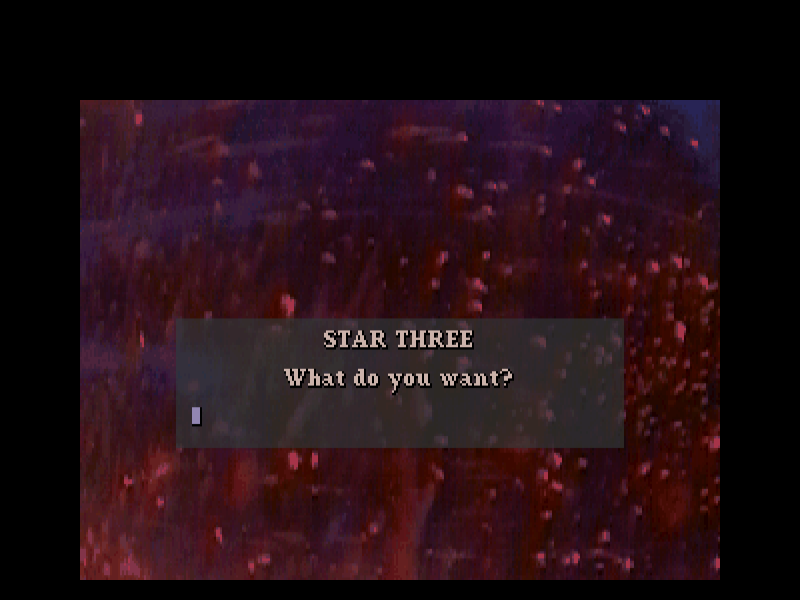
The hidden-command report traces the *3 activation
sequence, four exact command phrases, their code patches, and Z/X shortcuts.
The activation is confirmed on screen
in the original packed executable running under DOSBox.
An optional Unicorn harness reproduces the machine-code checks:
python3 tools/trace_hidden_commands.py # requires unicorn==2.1.4
python3 tools/inspect_exe.py
python3 tools/unpack_exe.py
python3 tools/extract_exe_tables.py
python3 -m unittest discover -s tests -v
Use analysis/unpacked/image.bin for unrelocated image offsets or
analysis/unpacked/UNPACKED.EXE for a reconstructed MZ with its 14 relocation
entries. The original entry is 0000:44F4. The reconstructed executable has
matched early startup behavior; a complete gameplay validation remains open.
analysis/tables/sine.csv contains an exact exported trigonometric table.
analysis/startup/ preserves debugger evidence and provenance.
All five archives now decode to 164 resources. The resource and city report describes the embedded directory, ten 128×128 maps, three geometry banks, and identified sound drivers. Open the interactive city viewer to inspect the grids and their geometry references; recovered meshes are in the model atlas below.
python3 tools/extract_resources.py
python3 tools/inspect_city.py
python3 tools/verify_resources.py    # requires unicorn==2.1.4
python3 tools/verify_city_layout.py  # requires unicorn==2.1.4
Further findings:
Verified city placement, scene coverage and fountain identification
Flight physics and energy-beacon charging — first verified logic pass
Player collisions, streetlight destruction and shield/cheat limits
Save-file viewer/editor — inspect both city states and download edited copies
Reconstructed FM effects — patches, object sounds and register traces
Extracted music — six MIDI arrangements and listening previews
Sound Images formats, original-driver verification and effects investigation
Recovered face colours, Gouraud shading and destruction states
Recovered stills, graphics sheets and animation frame previews
Disc definitions, animated landing gates and shared model pointers
The executable gameplay definition browser exports all 33 object/weapon records with raw bytes, role-specific fields, code references and model bindings. See field meanings and verification for weapon indexing, craft differences, runtime layout and unresolved semantics.
The scenario inspector maps recovered object templates and cell-state lists for all archive-04 records. Mission-script notes cover the two interpreters, reinforcement queues, objectives and embedded native setup code.
The embedded mission setup analysis translates and checks all seven inline x86 blocks and characterises the remaining guarded script boundary. Future work follows the two-stage reconstruction direction: faithful C++ first, separately planned browser re-engine afterwards.
Vehicle routes and events now plots all 172 compact route objects in the scenario viewer, including the Wrecker's three doors and linked reinforcement waves.
Regenerate the viewer directory after adding analysis pages:
python3 tools/build_analysis_index.py
To stage the full analysis and rendered reports for a static webserver:
npm ci --prefix tools/publish
node tools/publish/build.mjs
The result is in web-stage/, with separate analysis/index.html and
docs/index.html landing pages. See publishing notes
for custom destinations and upload instructions.