Cockpit and help-screen transcriptions
Manually checked against every decoded image, with OCR used only as a draft. Columns are separated into reading order; text within explanatory panels retains line breaks. Diagram labels are included; graphical gauges, arrows and numeric dial ticks are not reproduced as text.
Original wording and conspicuous misspellings are retained; interword spacing and key-table alignment are normalised.
There are two cockpit-mask variants and 25 distinct help-screen images across the scanned editions. The reference 3.42 installation contains one cockpit and ten help screens. No. 14 is an additional first-run welcome page found in 1.20.
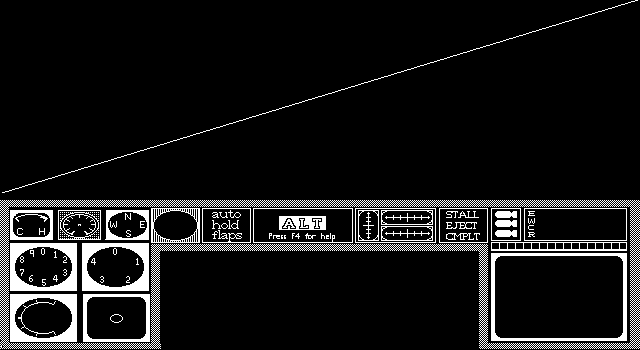
3D.IMG — Cockpit instrument panel
Decoded image · source SHA-256 ead2f72e60ee99ab84ff47e8e0e00d7ed5aca67e0bb109923dc0d4a90cfa7c48
Editions: deluxe_dnk, other_worlds_download, shareware_2_0, deluxe_floppy, shareware_3_4, shareware_3_42, original_install, shareware_2_0_played_floppy, deluxe_download.
The diagonal line across the viewing area is present in the source mask and reproduced by the original RIMG decoder. Its purpose has not been established.
3D2.IMG — Throttle and takeoff
Decoded image · source SHA-256 05f2a9923774b925a46a371e8d92eec07f826215b9fd4b37f74817e4f359a0ec
Editions: deluxe_dnk, other_worlds_download, deluxe_floppy, shareware_3_4, shareware_3_42, original_install, deluxe_download.
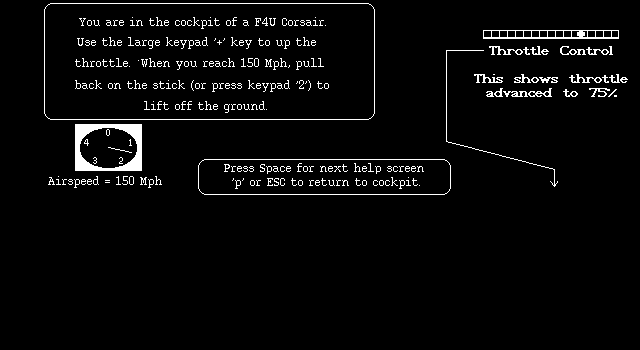
You are in the cockpit of a F4U Corsair.
Use the large keypad '+' key to up the
throttle. When you reach 150 Mph, pull
back on the stick (or press keypad '2') to
lift off the ground.

Throttle Control
This shows throttle
advanced to 75%.

Airspeed = 150 Mph

Press Space for next help screen
'p' or ESC to return to cockpit.
3D3.IMG — Engine power and altitude
Decoded image · source SHA-256 7f60783c26ad5df68ab5e9e6fe975163840622a8c9074a3c5cc25787067769f4
Editions: deluxe_dnk, other_worlds_download, deluxe_floppy, shareware_3_4, shareware_3_42, original_install, deluxe_download.
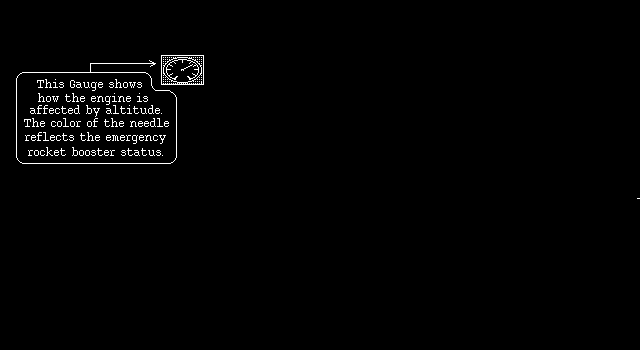
This Gauge shows
how the engine is
affected by altitude.
The color of the needle
reflects the emergency
rocket booster status.
3D4.IMG — Altimeter and low-altitude warning
Decoded image · source SHA-256 624c6d451c5de06d9fba8f6370e8b957b517e82be0af8cd33e42dc48792daf75
Editions: deluxe_dnk, other_worlds_download, deluxe_floppy, shareware_3_4, shareware_3_42, original_install, deluxe_download.
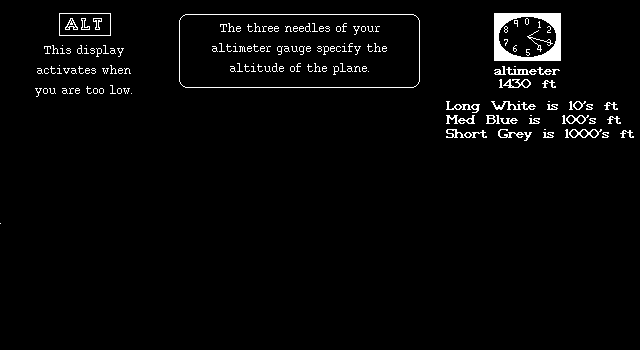
The three needles of your
altimeter gauge specify the
altitude of the plane.

ALT
This display
activates when
you are too low.

altimeter
1430 ft

Long White is 10's ft
Med Blue is 100's ft
Short Grey is 1000's ft
3D5.IMG — Gunsight and minimum airspeed
Decoded image · source SHA-256 b0d01512b6f61fafed0c76c31de8c6c76a8b56ebb5a33eda107d65422c20ccb4
Editions: deluxe_dnk, other_worlds_download, deluxe_floppy, shareware_3_4, shareware_3_42, original_install, deluxe_download.
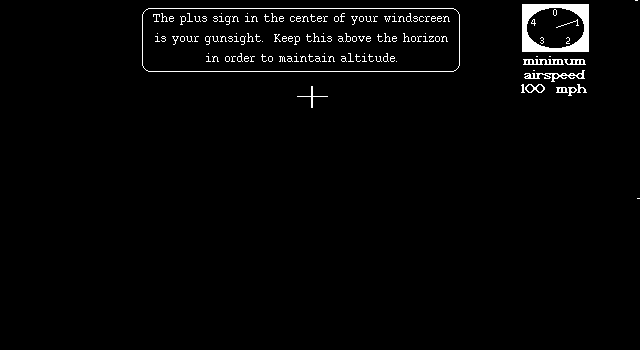
The plus sign in the center of your windscreen
is your gunsight. Keep this above the horizon
in order to maintain altitude.

minimum
airspeed
100 mph
3D6.IMG — Inflight keys
Decoded image · source SHA-256 48aab0505df487548b75489a7759cd3532b0ef57f0c5542d3ad125c2aceb4548
Editions: deluxe_dnk, other_worlds_download, shareware_3_4, shareware_3_42, original_install, deluxe_download.
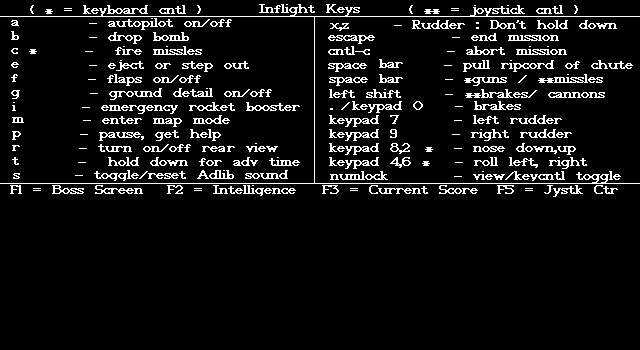
( * = keyboard cntl )        Inflight Keys        ( ** = jystick cntl )

a              - autopilot on/off
b              - drop bomb
c *            - fire missles
e              - eject or step out
f              - flaps on/off
g              - ground detail on/off
i              - emergency rocket booster
m              - enter map mode
p              - pause, get help
r              - turn on/off rear view
t              - hold down for adv time
s              - toggle/reset Adlib sound

xz             - Rudder : Don't hold down
escape         - end mission
cntl-c         - abort mission
space bar      - pull ripcord of chute
space bar      - *guns / **missles
left shift     - **brakes/ cannons
. /keypad 0    - brakes
keypad 7       - left rudder
keypad 9       - right rudder
keypad 8,2 *   - nose down,up
keypad 4,6 *   - roll left, right
numlock        - view/keycntl toggle

F1 = Boss Screen    F2 = Intelligence    F3 = Current Score    F5 = Jystk Ctr
3D7.IMG — Turning, pitch and roll
Decoded image · source SHA-256 1ed80de7e0e2015dca87ddf2cab5ab5e195757b4bbd1df5786f3f8a6575d6c3f
Editions: deluxe_dnk, other_worlds_download, deluxe_floppy, shareware_3_4, shareware_3_42, original_install, deluxe_download.
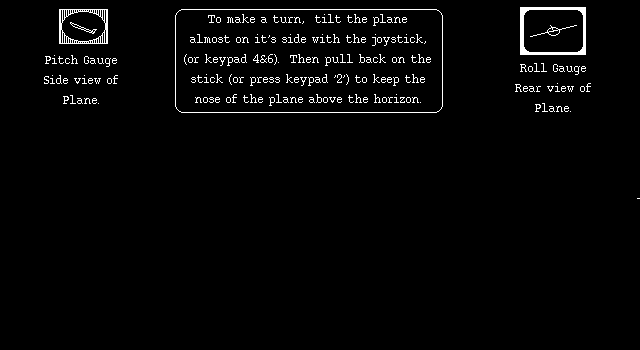
To make a turn, tilt the plane
almost on it's side with the joystick,
(or keypad 4&6). Then pull back on the
stick (or press keypad '2') to keep the
nose of the plane above the horizon.

Pitch Gauge
Side view of
Plane.

Roll Gauge
Rear view of
Plane.
3D8.IMG — Autopilot, pause, flaps and warning lights
Decoded image · source SHA-256 b0b2ed36dd891a5e71d398457144d7c9ed48eeffb5c7b2da9e9ebcfb7172be64
Editions: deluxe_dnk, other_worlds_download, deluxe_floppy, shareware_3_4, shareware_3_42, original_install, deluxe_download.
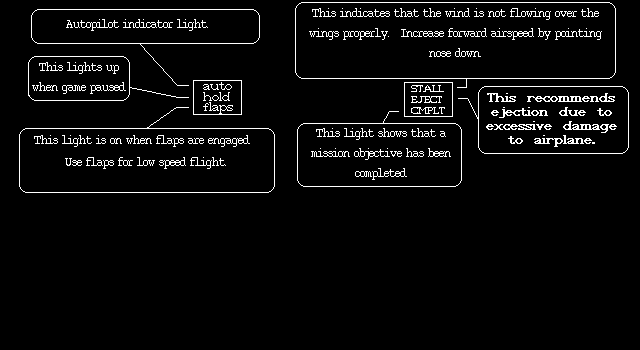
Autopilot indicator light.

This lights up
when game paused.

This light is on when flaps are engaged.
Use flaps for low speed flight.

auto
hold
flaps

This indicates that the wind is not flowing over the
wings properly. Increase forward airspeed by pointing
nose down.

STALL
EJECT
CMPLT

This recommends
ejection due to
excessive damage
to airplane.

This light shows that a
mission objective has been
completed.
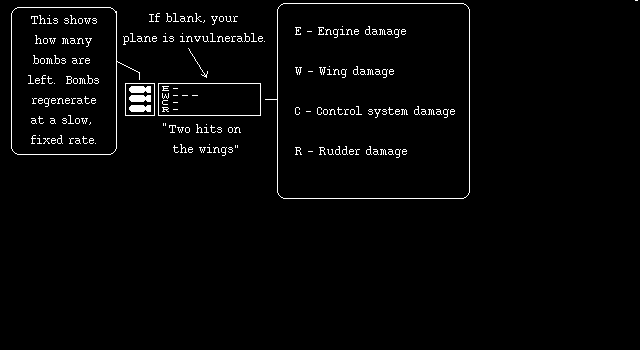
3D9.IMG — Bomb supply and damage indicators
Decoded image · source SHA-256 70539a62006db63cfa3c552828f1180de690eaf25ea50056ae0b0e2a8419a579
Editions: deluxe_dnk, other_worlds_download, deluxe_floppy, shareware_3_4, shareware_3_42, original_install, deluxe_download.
This shows
how many
bombs are
left. Bombs
regenerate
at a slow,
fixed rate.

If blank, your
plane is invulnerable.

E - Engine damage
W - Wing damage
C - Control system damage
R - Rudder damage

"Two hits on
the wings"
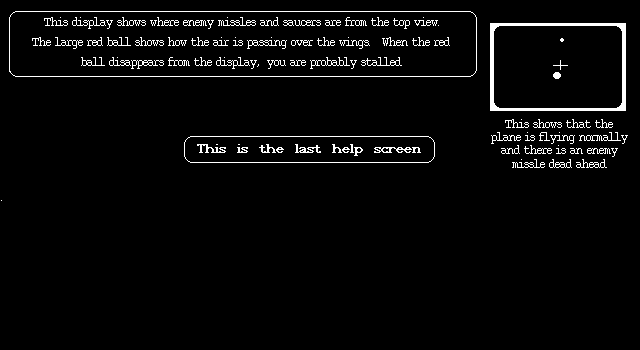
3D10.IMG — Radar and airflow display
Decoded image · source SHA-256 ac5304e806a45453b51517b722cb75bd9b5563eb3188387272736cc594383c96
Editions: deluxe_dnk, other_worlds_download, deluxe_floppy, shareware_3_4, shareware_3_42, original_install, deluxe_download.
This display shows where enemy missles and saucers are from the top view.
The large red ball shows how the air is passing over the wings. When the red
ball disappears from the display, you are probably stalled.

This shows that the
plane is flying normally
and there is an enemy
missle dead ahead.

This is the last help screen
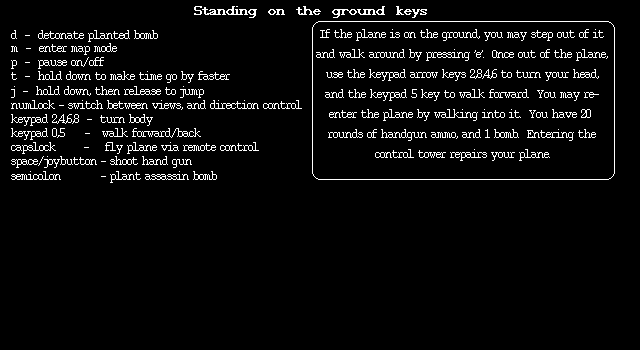
3D13.IMG — On-foot controls
Decoded image · source SHA-256 236373c27e23681175c292fd38f5e8f31a296feff8a16259d22ca74fae50c13a
Editions: deluxe_dnk, other_worlds_download, deluxe_floppy, shareware_3_4, shareware_3_42, original_install, deluxe_download.
Standing on the ground keys

d                - detonate planted bomb
m                - enter map mode
p                - pause on/off
t                - hold down to make time go by faster
j                - hold down, then release to jump
numlock          - switch between views, and direction control
keypad 2,4,6,8   - turn body
keypad 0,5       - walk forward/back
capslock         - fly plane via remote control
space/joybutton  - shoot hand gun
semicolon        - plant assassin bomb

If the plane is on the ground, you may step out of it
and walk around by pressing 'e'. Once out of the plane,
use the keypad arrow keys 2,8,4,6 to turn your head,
and the keypad 5 key to walk forward. You may re-
enter the plane by walking into it. You have 20
rounds of handgun ammo, and 1 bomb. Entering the
control tower repairs your plane.
The table says "turn body" while the paragraph says "turn your head"; both are preserved as drawn.
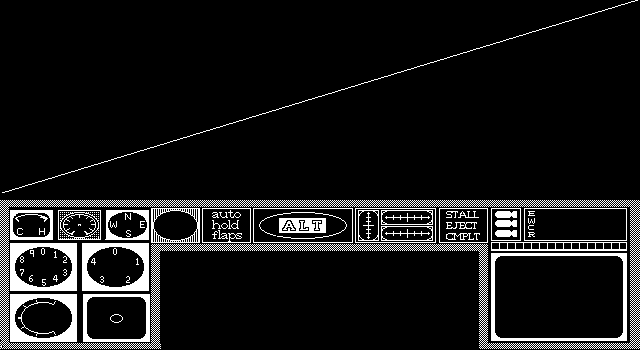
3D.IMG — Cockpit instrument panel (early)
Decoded image · source SHA-256 f49deb0ee9e2278a545f7e22b961819cb7f9fc47d6d7cebee8b190069adace94
Editions: shareware_1_20.
The diagonal line across the viewing area is present in the source mask and reproduced by the original RIMG decoder. Its purpose has not been established.
3D2.IMG — Throttle and first takeoff (1.20)
Decoded image · source SHA-256 0fdf4b5706be099ab22c4bcd23a37ceb88f5199247a30c13c7da95f73e220b34
Editions: shareware_1_20.
Below is the instrument panel of
your plane. You are in the cockpit
looking out at the airstrip in front
of you. To begin flight, hold down
the '+' key to advance the throttle
to the maximum. The drawing to
the left shows what the throttle
looks like. The next help screen
will come up when you reach a
speed which is close to flying speed.

Throttle Control
This shows throttle
advanced to 75%.

Press space to continue
after the bounce ball retires
3D2.IMG — Throttle and first takeoff (2.00)
Decoded image · source SHA-256 62f924998d7b493a1a07609d6fb0172341c948dc4b937c05ec0dcfeb20bb8937
Editions: shareware_2_0, shareware_2_0_played_floppy.
Below is the instrument panel of
your plane. You are in the cockpit
looking out at the airstrip in front
of you. To begin flight, hold down
the '+' key to advance the throttle
to the maximum. The drawing to
the left shows what the throttle
looks like.

Throttle Control
This shows throttle
advanced to 75%.

Press space to continue
help, 'p' to resume flight
3D3.IMG — Airspeed, takeoff and engine power (2.00)
Decoded image · source SHA-256 3941c805b4979031f7e1994407d72e865fb6f265e9e8a42fa27cda20c300d829
Editions: shareware_2_0, shareware_2_0_played_floppy.
The gauge with the digits 0-4
is your airspeed (0-400 mph).
When you reach 150 mph,
pull back on the stick ( or
hold down keypad '2' for keyboard
play) in order to take off.

airspeed
150 mph

This gauge
shows how your
engine is affected
by your altitude.
Low values show
low engine power.
The color of the
needle reflects the
emergency rocket
booster status.
3D3.IMG — Airspeed and takeoff (1.20)
Decoded image · source SHA-256 41d910c38fe81b7491c2c731bb73c50a74c389e8c720fef4cf169d5e2dccd36a
Editions: shareware_1_20.
The gauge with the digits 0-4
is your airspeed (0-400 mph).
When you reach 150 mph,
pull back on the stick ( or
hold down keypad '2' for keyboard
play) in order to take off.

airspeed
150 mph
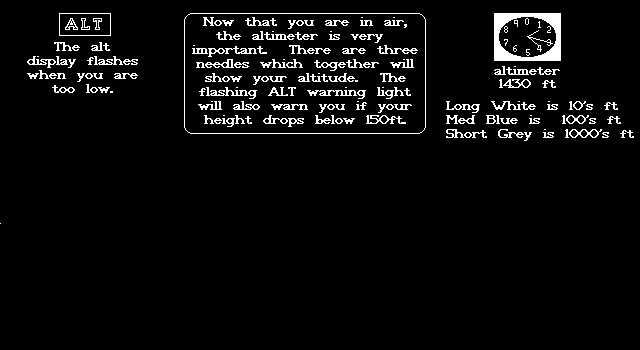
3D4.IMG — Altimeter and low-altitude warning (early)
Decoded image · source SHA-256 92f527c0a10814eeb2afb75027c0c6f2ed6bd7c7ab3a559f557594122aa44ebb
Editions: shareware_1_20, shareware_2_0, shareware_2_0_played_floppy.
Now that you are in air,
the altimeter is very
important. There are three
needles which together will
show your altitude. The
flashing ALT warning light
will also warn you if your
height drops below 150ft.

ALT
The alt
display flashes
when you are
too low.

altimeter
1430 ft

Long White is 10's ft
Med Blue is 100's ft
Short Grey is 1000's ft
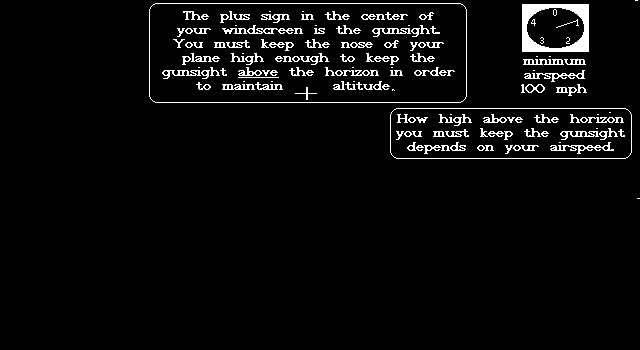
3D5.IMG — Gunsight and airspeed (early)
Decoded image · source SHA-256 9c93899e90cf777f3aa85885e79cf3226741cade036c15264db7d31d52dcf73e
Editions: shareware_1_20, shareware_2_0, shareware_2_0_played_floppy.
The plus sign in the center of
your windscreen is the gunsight.
You must keep the nose of your
plane high enough to keep the
gunsight above the horizon in order
to maintain altitude.

How high above the horizon
you must keep the gunsight
depends on your airspeed.

minimum
airspeed
100 mph
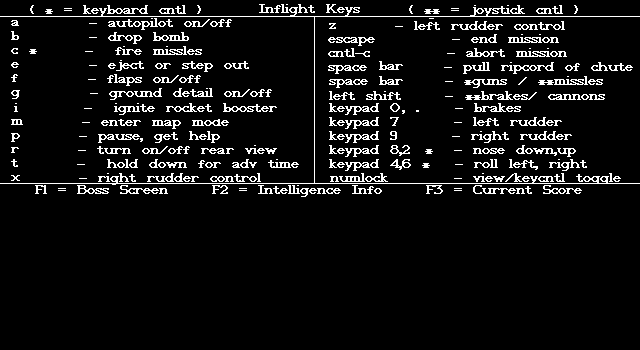
3D6.IMG — Inflight keys (1.20)
Decoded image · source SHA-256 9731ee54b0bf2ac3a88402d78b808e592ddc69588e8f7941aad4bb06e277f5c0
Editions: shareware_1_20.
( * = keyboard cntl )        Inflight Keys        ( ** = jystick cntl )

a              - autopilot on/off
b              - drop bomb
c *            - fire missles
e              - eject or step out
f              - flaps on/off
g              - ground detail on/off
i              - ignite rocket booster
m              - enter map mode
p              - pause, get help
r              - turn on/off rear view
t              - hold down for adv time
x              - right rudder control

z              - left rudder control
escape         - end mission
cntl-c         - abort mission
space bar      - pull ripcord of chute
space bar      - *guns / **missles
left shift     - **brakes/ cannons
keypad 0, .    - brakes
keypad 7       - left rudder
keypad 9       - right rudder
keypad 8,2 *   - nose down,up
keypad 4,6 *   - roll left, right
numlock        - view/keycntl toggle

F1 = Boss Screen    F2 = Intelligence Info    F3 = Current Score
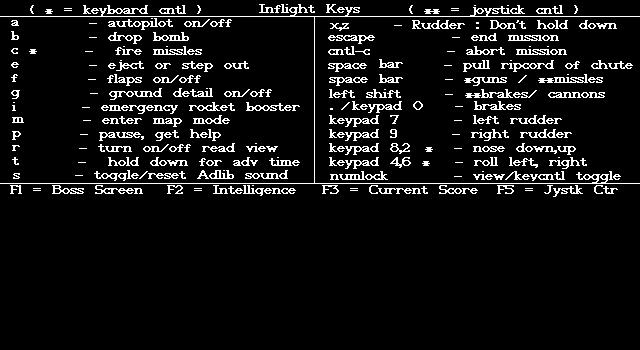
3D6.IMG — Inflight keys (earlier wording)
Decoded image · source SHA-256 ee0ec6ecc4ca762e4cc38183a1b0f4aeda5747127b1ef6727dc5f0654f9d74c3
Editions: shareware_2_0, deluxe_floppy, shareware_2_0_played_floppy.
( * = keyboard cntl )        Inflight Keys        ( ** = jystick cntl )

a              - autopilot on/off
b              - drop bomb
c *            - fire missles
e              - eject or step out
f              - flaps on/off
g              - ground detail on/off
i              - emergency rocket booster
m              - enter map mode
p              - pause, get help
r              - turn on/off read view
t              - hold down for adv time
s              - toggle/reset Adlib sound

xz             - Rudder : Don't hold down
escape         - end mission
cntl-c         - abort mission
space bar      - pull ripcord of chute
space bar      - *guns / **missles
left shift     - **brakes/ cannons
. /keypad 0    - brakes
keypad 7       - left rudder
keypad 9       - right rudder
keypad 8,2 *   - nose down,up
keypad 4,6 *   - roll left, right
numlock        - view/keycntl toggle

F1 = Boss Screen    F2 = Intelligence    F3 = Current Score    F5 = Jystk Ctr
The original image says "read view"; this transcription preserves the typo.
3D7.IMG — Turning, pitch and roll (early)
Decoded image · source SHA-256 244168d5e71a2bdcabd5c48e31a279a16d399904d15c53cd4d0a02a852171a8d
Editions: shareware_1_20, shareware_2_0, shareware_2_0_played_floppy.
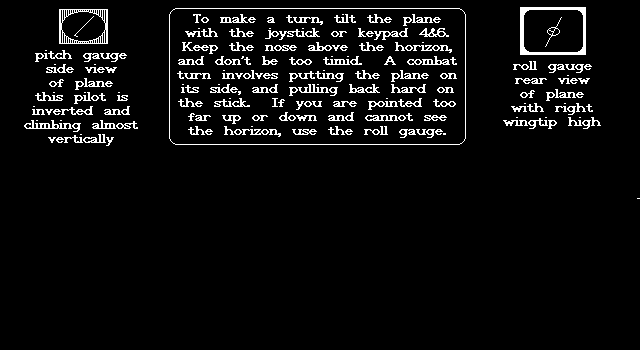
To make a turn, tilt the plane
with the joystick or keypad 4&6.
Keep the nose above the horizon
and don't be too timid. A combat
turn involves putting the plane on
its side, and pulling back hard on
the stick. If you are pointed too
far up or down and cannot see
the horizon, use the roll gauge.

pitch gauge
side view
of plane
this pilot is
inverted and
climbing almost
vertically

roll gauge
rear view
of plane
with right
wingtip high
3D8.IMG — Autopilot, pause, flaps and warning lights (early)
Decoded image · source SHA-256 085d8f9561db768e6a7695270ef615bb014a5db17b067d091d4afa45814666ae
Editions: shareware_1_20, shareware_2_0, shareware_2_0_played_floppy.
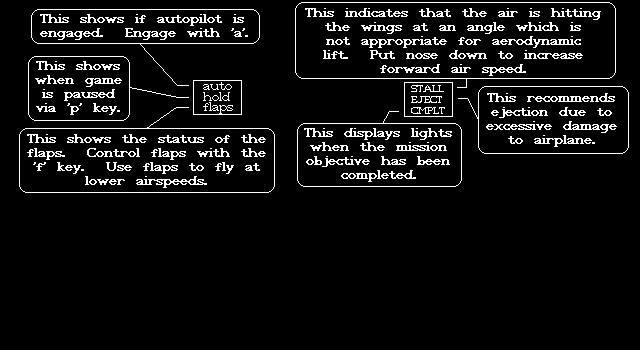
This shows if autopilot is
engaged. Engage with 'a'.

This shows
when game
is paused
via 'p' key.

auto
hold
flaps

This shows the status of the
flaps. Control flaps with the
'f' key. Use flaps to fly at
lower airspeeds.

This indicates that the air is hitting
the wings at an angle which is
not appropriate for aerodynamic
lift. Put nose down to increase
forward air speed.

STALL
EJECT
CMPLT

This recommends
ejection due to
excessive damage
to airplane.

This displays lights
when the mission
objective has been
completed.
3D9.IMG — Bomb supply and damage indicators (early)
Decoded image · source SHA-256 9b4caeb3cce85563d3a6f426fb181fb671039fc56ea727a753af8a5be3022b77
Editions: shareware_1_20, shareware_2_0, shareware_2_0_played_floppy.
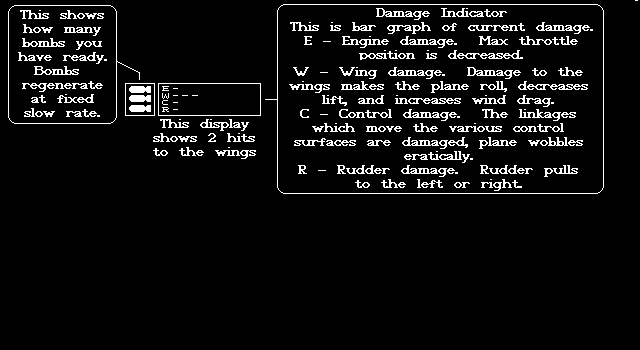
This shows
how many
bombs you
have ready.
Bombs
regenerate
at fixed
slow rate.

This display
shows 2 hits
to the wings

Damage Indicator
This is bar graph of current damage.
E - Engine damage. Max throttle
position is decreased.
W - Wing damage. Damage to the
wings makes the plane roll, decreases
lift, and increases wind drag.
C - Control damage. The linkages
which move the various control
surfaces are damaged, plane wobbles
erratically.
R - Rudder damage. Rudder pulls
to the left or right.
3D10.IMG — Radar and airflow display (early)
Decoded image · source SHA-256 6f175b8f4b02d2390ec51abf16f618158ab46ef6b5fd069e226a27e82caad961
Editions: shareware_1_20, shareware_2_0, shareware_2_0_played_floppy.
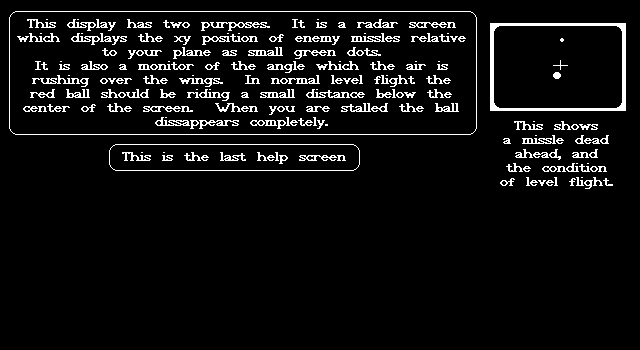
This display has two purposes. It is a radar screen
which displays the xy position of enemy missles relative
to your plane as small green dots.
It is also a monitor of the angle which the air is
rushing over the wings. In normal level flight the
red ball should be riding a small distance below the
center of the screen. When you are stalled the ball
dissappears completely.

This shows
a missle dead
ahead, and
the condition
of level flight

This is the last help screen
3D13.IMG — On-foot controls (2.00)
Decoded image · source SHA-256 9d41ab3eaf1f6dd1a375507f8fc01b13c1aa658c91ab12a05833cf9b5b280259
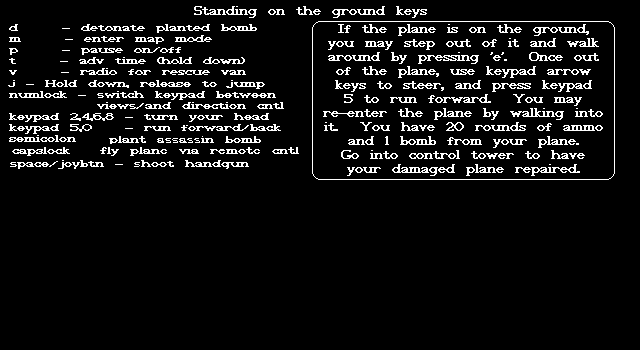
Editions: shareware_2_0, shareware_2_0_played_floppy.
Standing on the ground keys

d                - detonate planted bomb
m                - enter map mode
p                - pause on/off
t                - adv time (hold down)
v                - radio for rescue van
j                - Hold down release to jump
numlock          - switch keypad between
                   views/and direction cntl
keypad 2,4,6,8   - turn your head
keypad 5,0       - run forward/back
semicolon        - plant assassin bomb
capslock         - fly plane via remote cntl
space/joybtn     - shoot handgun

If the plane is on the ground,
you may step out of it and walk
around by pressing 'e'. Once out
of the plane, use keypad arrow
keys to steer, and press keypad
5 to run forward. You may
re-enter the plane by walking into
it. You have 20 rounds of ammo
and 1 bomb from your plane.
Go into control tower to have
your damaged plane repaired.
3D13.IMG — On-foot controls (early)
Decoded image · source SHA-256 f210bf386e7704ae40f8a8dd1ab4f24ac563e913d549a1f7f207ee089f65b3b8
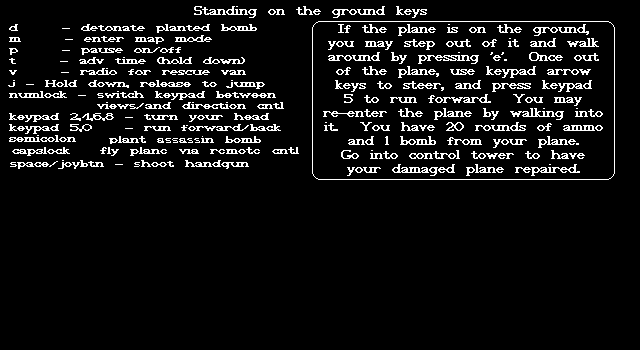
Editions: shareware_1_20.
Standing on the ground keys

d                - detonate planted bomb
m                - enter map mode
p                - pause on/off
t                - adv time (hold down)
v                - radio for rescue van
j                - Hold down release to jump
numlock          - switch keypad between
                   views/and direction cntl
keypad 2,4,6,8   - turn your head
keypad 5,0       - run forward/back
semicolon        - plant assassin bomb
capslock         - fly plane via remote cntl
space/joybtn     - shoot handgun

If the plane is on the ground,
you may step out of it and walk
around by pressing 'e'. Once out
of the plane, use keypad arrow
keys to steer, and press keypad
5 to run forward. You may
re-enter the plane by walking into
it. You have 20 rounds of ammo
and 1 bomb from your plane.
Go into control tower to have
your damaged plane repaired.
3D14.IMG — First-run welcome
Decoded image · source SHA-256 d27a36bc9de3c05faebdf320259a3f8ae7b935eda6abd4455b0021e8ff539eea
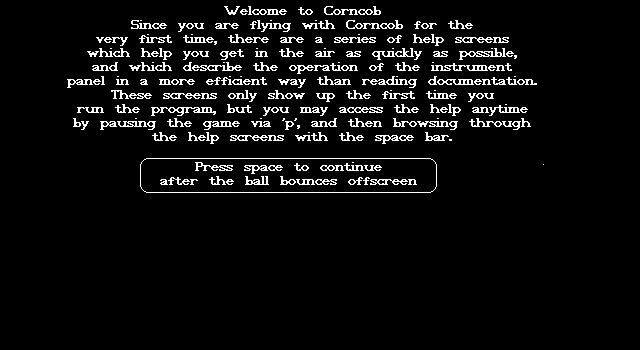
Editions: shareware_1_20.
Welcome to Corncob
Since you are flying with Corncob for the
very first time, there are a series of help screens
which help you get in the air as quickly as possible,
and which describe the operation of the instrument
panel in a more efficient way than reading documentation.
These screens only show up the first time you
run the program, but you may access the help anytime
by pausing the game via 'p', and then browsing through
the help screens with the space bar.

Press space to continue
after the ball bounces offscreen